LiveLink™ for AutoCAD® provides essential functionality to enhance your design workflow with multiphysics simulation so you can evaluate how your product or process performs in the intended operating environment. The powerful tools in the AutoCAD CAD system allow you to produce effective 3D product designs. Using LiveLink™ for AutoCAD®, you can synchronise your CAD models with COMSOL Multiphysics® to create model geometries for simulation that allow you to analyse essentially any physical effects and their interactions, so you can better understand and optimise your designs.
LiveLink™ for AutoCAD® includes an array of tools to facilitate the integration of multiphysics simulation into your design process. Features include geometry repair and defeaturing, support for automatic updates to a CAD design, optimisation of design parameters, and automated parametric sweeps in COMSOL Multiphysics.
LiveLink™ for AutoCAD® synchronises geometry updates between your AutoCAD design file and the COMSOL Multiphysics model. Updates are automatic when you have both AutoCAD and COMSOL Multiphysics open at the same time avoiding the repetitive file import and export process. CAD model parameters defined in AutoCAD can be iteratively accessed to enable parametric sweeps in COMSOL Multiphysics. Optimisation studies or parametric sweeps allow you to fine-tune design parameters such as part shape and sizing.
An important feature of LiveLink™ for AutoCAD® is that geometry associativity is maintained between the synchronised CAD design and the COMSOL Multiphysics model even when a design has changed. As a result of this functionality, physics definitions also remain associated with their respective model domains and boundaries throughout the design and simulation process.
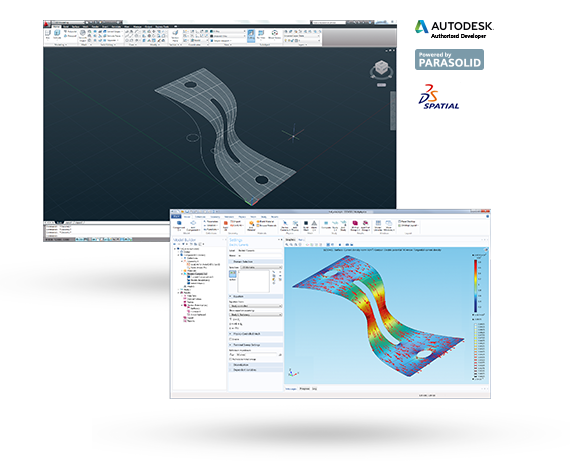
COMSOL Multiphysics with LiveLink™ for AutoCAD® includes many features for geometry manipulation to prepare your designs for simulation. During geometry import from a CAD file, a design is automatically evaluated to ensure that any problems are detected and then repaired. The predefined tolerance based repair is automatic during import, and it can also heal gaps to create a solid object suitable for simulation.
CAD designs may contain small features that are either purposefully or unintentionally introduced during the design process. During simulation, small features such as fillets or small edges can increase computational demands by requiring meshes that are extremely dense. Using the tools provided with LiveLink™ for AutoCAD®, you can automatically detect small details or artefacts and then defeature the geometry in AutoCAD or in the COMSOL Multiphysics environment.
To complement the defeaturing tools, virtual geometry operations are available with COMSOL Multiphysics and enable you to suppress specific features in a COMSOL model geometry prior to simulation without having to physically remove them from a design. Meshes created from a virtual geometry are computationally less complex and are still based on the original surface curvature of a design, therefore improving the efficiency and accuracy of your simulations.
3D CAD designs can be imported from a file into COMSOL Multiphysics for simulation using the functionality provided with LiveLink™ for AutoCAD®. By default, an imported CAD design is converted to a Parasolid® geometry that supports Boolean geometry operations and additional conversions or modifications from within the COMSOL environment. As an example, you can close off, and create the geometry for, cavities in and around imported components to simulate fluid behaviour in a design that initially contains only the hardware for manufacturing.
There are many CAD file formats that are supported by LiveLink™ for AutoCAD® for import into COMSOL Multiphysics. These include the widely supported CAD file formats ACIS®, IGES, Parasolid, STEP, as well as the native formats of other CAD systems such as Inventor®, PTC® Creo® Parametric™, PTC® Pro/ENGINEER®, and SOLIDWORKS®. Optional support for the CATIA® V5 file format is also available. File export from COMSOL Multiphysics in the IGES, STEP, Parasolid and ACIS formats ensures that any design changes made to a COMSOL model geometry can be readily shared with colleagues and imported into most CAD programs or viewers.
Autodesk and AutoCAD are registered trademarks of Autodesk, Inc., and/or its subsidiaries and/or affiliates in the USA and/or other countries. All other trademarks are the property of their respective owners. For a list of such trademark owners, see http://www.comsol.com/tm. COMSOL AB and its subsidiaries and products are not affiliated with, endorsed by, sponsored by, or supported by these trademark owners.
Note that not all file formats are supported on all operative systems, for details see System Requirements
 Tel: +61 (03) 6224 8690Email: info@technic.com.auConnect on LinkedInGet Your Free Trial
Copyright © 2021 Technic Pty Ltd. All Rights Reserved. See our Privacy Policy. Site protected by reCAPTCHA - Privacy | Terms. Website by Gloo.